
Ready to build a sales team
that works without you?
Book a free 20-minute conversation. No pitch — just an honest look at your sales process and whether I can help.
Book a Free Consultation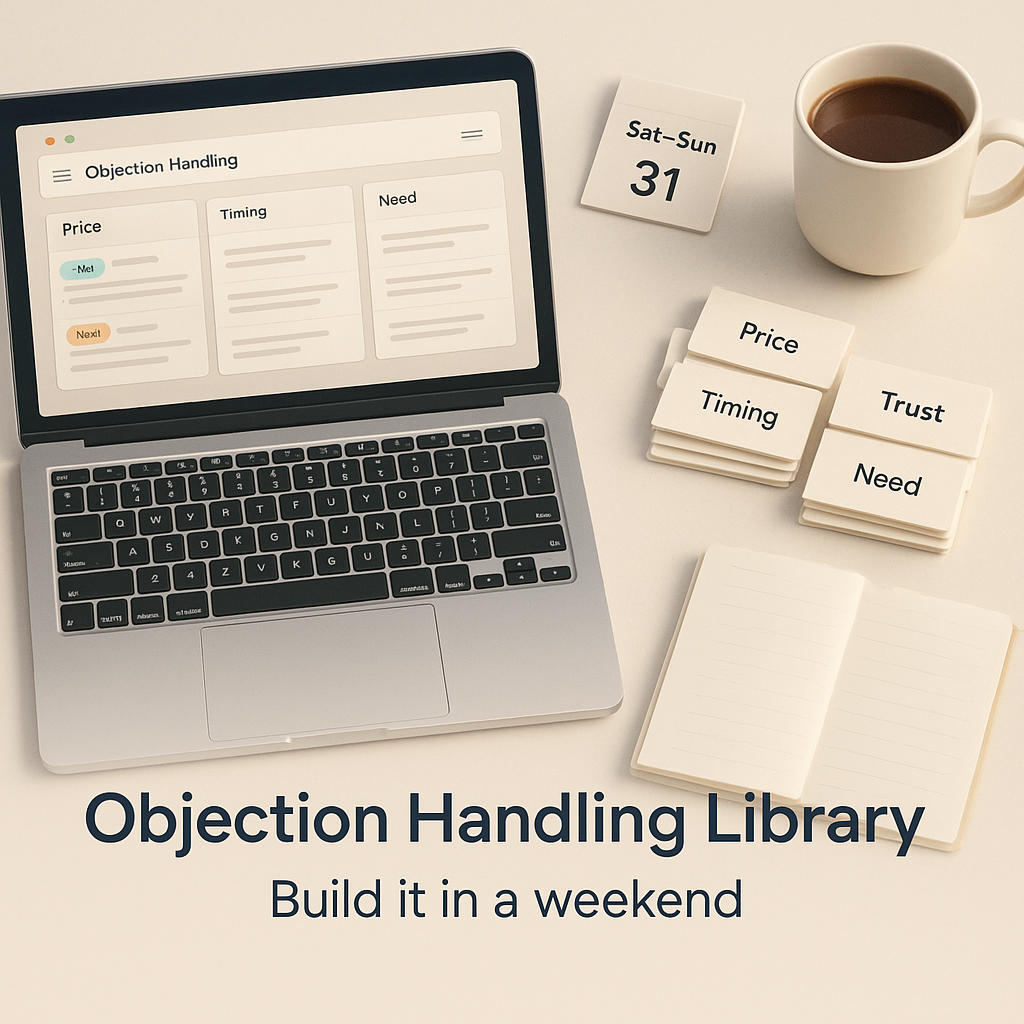
Not because objections are “hard” exactly. But because they’re repetitive, kind of emotional, and they always show up at the worst time. Like you finally get a clean demo booked, the prospect is nodding along, and then…
“Yeah but we already have a vendor.”
Or the classic, said casually, like they’re ordering coffee.
“Can you just send pricing?”
And suddenly the deal is… wobbly.
Here’s the good news. If you’re doing B2B sales, objections are not random. They cluster. They repeat. Which means you can systematize them.
And if you can systematize them, you can build an objection handling library. In one weekend. No long project. No enablement theater. Just a simple, living document that your team actually uses.
That’s what this post is. A practical build guide you can follow in a couple days, even if you’re still doing founder led sales and your first rep is, like, “starting next month.”
Also, quick note. When I say “library” I don’t mean a 60 page PDF nobody opens. I mean a searchable thing. Something your reps can pull up mid call, and it actually helps.
Because without one, your company ships a different sales story every time someone opens their mouth.
Founder says one thing. Rep says another. SDR improvises. Customer success makes promises sales never mentioned. Then your pipeline data looks “fine” but close rates are weird and onboarding is chaos.
An objection library does a few unglamorous but incredibly important things:
And honestly. It reduces stress. There is something calming about knowing exactly what to say when the same pushback shows up for the 50th time.
A good objection library is:
You’re not trying to win every argument. You’re trying to guide the conversation back to value, fit, and next steps.
Here’s the simple plan that works.
That’s it.
Let’s build it.
Don’t brainstorm in a vacuum. Pull the real stuff.
Places to look:
Create a doc or spreadsheet with three columns:
You want the messy, real language. Not the cleaned up version.
Because prospects don’t say “We have concerns regarding implementation complexity.” They say:
“This looks like a pain to roll out.”
Same meaning. Different emotional weight.
Remember to record your organizing info as you go along for better clarity and future reference.
If you don’t have recordings yet, do this instead: open your last 25 deals in the CRM, scan notes, and copy any line that looks like friction.
Even if your CRM is… not perfect. It’s fine. We work with what we have.
If your library can’t be searched quickly, reps won’t use it.
Good formats:
What I would not do: build this inside slides.
Slides are great for training. Terrible for reference.
Each objection gets its own block:
Most objections fall into a few buckets.
Use these categories:
This is important because it helps your reps diagnose what’s happening.
“Send pricing” is rarely about pricing. It’s often about control, or skepticism, or “I’m not convinced yet.” As noted by Josh Braun, understanding the underlying reason behind objections is key to overcoming them effectively.
If you try to cover everything, you’ll finish nothing.
Start with the top 15 that show up constantly. Usually that includes:
Now, for each one, you’re going to write a response that does three things:
1) Validate
“That makes sense.”
2) Clarify
“Can I ask what you’re comparing it to?”
3) Reframe
“The reason teams pay for this isn’t the feature list, it’s the outcome.”
4) Next step
“If we can confirm we’d drive X, is it worth mapping numbers together?”
Simple. Human. Works.
Below are a few complete entries you can use as a starting point. Adjust wording to match your product and your ICP.
What it usually means
They don’t see ROI yet. Or they’re anchoring to a cheaper alternative. Or they’re testing if you’ll discount.
Clarifying questions
Response “Yeah, I hear you. Most teams say it feels expensive until we tie it to a number. Can we do a quick back of the envelope together? If the impact is real, we’ll know. If it’s not, we’ll stop wasting your time.”
Proof Link to ROI calculator, case study, quantified outcome.
Next step Schedule a 20 minute ROI review with mutual action plan.
What it usually means
They’re loyal to what they know. Or switching feels risky. Or they don’t see differentiation.
Clarifying questions
Response “Got it. If it’s working, you shouldn’t switch just to switch. The only reason to look is if there’s a gap you keep running into. If you tell me the top one or two gaps, I can be direct about whether we solve them or not.”
Proof Comparison doc (internal), customer migration story.
Next step Identify 1 gap and run a focused demo on that workflow only.
What it usually means
They want to avoid a sales process. Or they’re not bought in. Or they need a quick range to see if it’s even possible.
Clarifying questions
Response “I can send pricing, but if I send the wrong configuration it’s just noise. Give me 60 seconds. Who’s using it and what’s the main use case? Then I’ll send a clean range that actually matches.”
Proof Pricing page, packaging one pager.
Next step Quick scoping call or 5 question email before sending.
What it usually means
Something is unclear. Risk is unaddressed. Or there’s no urgency.
Clarifying questions
Response “Of course. Usually when I hear ‘think about it’ there’s one open loop we didn’t nail. If we rewind 5 minutes, what’s the main thing you want to be confident about before moving forward?”
Proof Decision checklist, security overview, references.
For those in the education sector contemplating school safety product and technology decisions, it's essential to have a comprehensive decision checklist. This can help address uncertainties and ensure all aspects are considered before making a final decision.
Next step Agree on decision date and the inputs needed to decide.
What it usually means
Competing priorities. Or they’re being polite. Or they don’t believe the pain is urgent.
Clarifying questions
Response “Totally get it. If timing is truly the issue, we can park it. The only thing I want to sanity check is whether waiting creates a bigger mess later. What happens if nothing changes this quarter?”
Proof Customer story where delay cost them money/time.
Next step Set a concrete re engage date and define what will be true by then.
Responses without proof feel like opinions.
So you’re going to attach a few small assets to the library. Not a giant folder. Just the essentials:
If you don’t have these yet, list them as “TODO” and create them in the next two weeks. But at least create placeholders now so the library has a spine.
Here’s the format I like.
Category | Objection (verbatim) | Clarifying question | 30 second response | Proof link | Next step |
Price | “Too expensive” | “Compared to what?” | “Let’s tie it to ROI…” | Case study | ROI call |
Timing | “Not now” | “What breaks if you wait?” | “Sanity check urgency…” | Story | Re engage date |
Then, below the table, you keep the longer form versions.
This gives reps the quick version and the deeper version, in one place.
Keep it light. This is not a workshop.
Agenda:
The key is: make it normal. Not a special event.
This is the part everyone skips.
Do this instead:
If you do that for 8 weeks, your library becomes scary good.
If you’re a founder moving from “I close everything” to “a team closes deals,” this library is one of the first pieces of real enablement that matters.
It pairs naturally with a sales playbook, CRM stages, and a consistent qualification method like MEDDPICC. Which is basically what we build inside a structured engagement.
If you want help turning your founder instincts into a repeatable system, that’s literally the core of what David Consulting Services does in the 90 Day Method. Playbook extraction, pipeline and CRM cleanup, rep hiring support, and then coaching your first reps through real deals so it sticks.
You can check the approach here: https://www.davidconsulting.services
You said you want relevant images throughout. Here are a few that fit naturally. Add them where they make sense.
Note: If these exact image URLs do not exist on your site yet, upload simple graphics with these filenames (or replace the URLs with your uploaded media links). Even basic Canva visuals work.
If you do nothing else, do this.
Open a doc. List your top 15 objections. Write one honest clarifying question for each. Then write a 30 second response that feels like something you would actually say on a real Tuesday, half tired, still trying to hit the number.
That’s your first version.
It won’t be perfect. But it will be usable. And usable beats perfect every single time.
If you want, build it this weekend, and then next week, listen to five calls and update it. You’ll feel the difference immediately.
And if you’re at the point where you need this to plug into a full playbook, stages, qualification, hiring, and training. Book a consult with David Consulting Services and we’ll map it properly, end to end.
Because the goal isn’t “handle objections.”
The goal is to build a sales engine that doesn’t panic when they show up.
Founders dislike objections not because they're inherently hard, but because they tend to be repetitive, emotional, and often arise at the worst moments—like during a promising demo when a prospect suddenly says they already have a vendor or casually asks for pricing, which can destabilize the deal.
An objection handling library is a simple, living document that systematizes common sales objections along with effective responses. It's important because it turns tribal knowledge into assets, shortens ramp time for new reps, keeps sales positioning consistent, improves forecast quality by mapping objections to deal risk, and reduces stress by providing clear guidance on what to say.
A good objection library is organized by objection type (not complex frameworks), written in your authentic voice using real phrases, built around questions rather than speeches, linked to proof like case studies or product facts, and easy to update so it remains relevant and practical for the sales team.
You can build an objection library in one weekend by following a simple plan: On Saturday, extract real objections from calls, emails, CRM notes; choose a searchable format; write initial responses; and add proof links. On Sunday, refine the language to sound human; add discovery questions and next steps; train your team in 30 minutes; and integrate the library into your weekly routine.
Gather raw objections from real data sources such as Gong or Zoom call recordings/transcripts, sales email threads, CRM notes (especially 'Closed Lost' reasons), Slack messages where reps ask for help with objections, and demo no-shows that may indicate hidden objections. Use exact phrasing to capture the emotional weight of prospects' concerns.
Effective formats include searchable Notion pages with tables and filters (great for small businesses), Google Docs with a table of contents and Ctrl+F search capability, Guru cards if already used by your team, or Confluence if that's your team's platform. Avoid slides since they're better suited for training rather than quick reference mid-call.
Book a free 20-minute conversation. No pitch — just an honest look at your sales process and whether I can help.
Book a Free Consultation